Loading
Loading
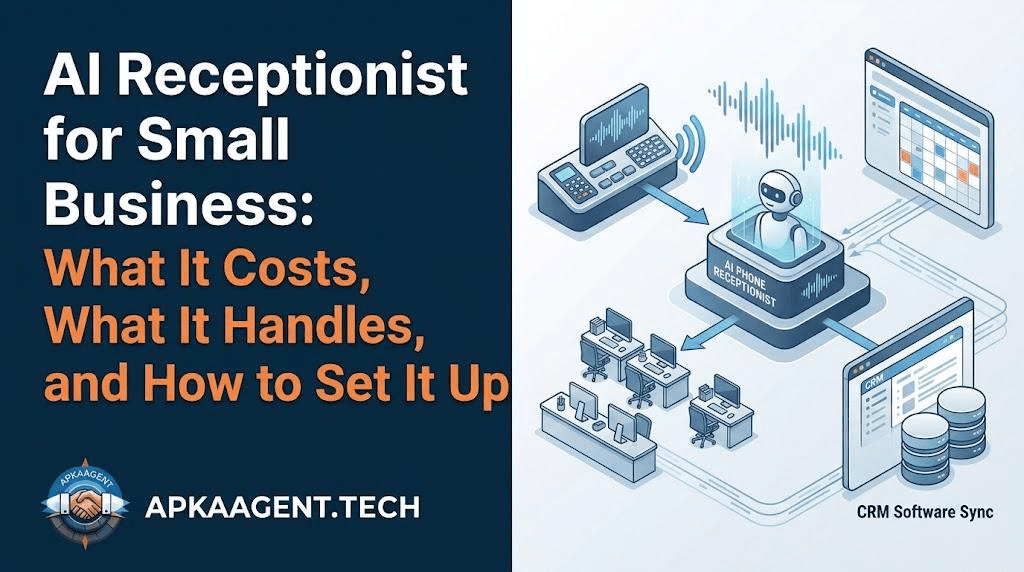
Quick answer: An AI receptionist is a voice-based AI agent that answers your business phone, talks to callers in natural language, books appointments into your calendar, captures lead details and passes urgent calls to a person. For most US small businesses it replaces voicemail and after-hours gaps, not the whole front desk.
Picture a Tuesday afternoon. You're on a job site, your office manager is at lunch, and the phone rings three times in ten minutes. Two of those callers won't leave a voicemail. They'll call the next company on Google instead. That is the problem an AI receptionist is built to fix, and it's why so many owners in the US started looking at these tools this year.
This guide covers what an AI receptionist does, what it doesn't do well, what you should expect to pay, and how to set one up so callers don't hang up on it.
An AI receptionist is software that picks up your incoming calls, understands what the caller wants, and takes action: it answers questions from your business information, books or reschedules appointments, collects contact details, and transfers the call when a human is needed. It works 24 hours a day and can take several calls at once.
It is different from an old phone tree. Nobody has to "press 1 for sales." The caller just says what they need, and the agent responds. If you're unsure where the line sits between a simple bot and a real agent, our breakdown of AI agents vs chatbots explains it in plain terms.
A well-built AI receptionist can handle the routine calls that make up most of a small business's phone volume. These are the jobs it does reliably:
Lead screening is where many businesses see the biggest change. Instead of every call landing on the owner's cell, the agent sorts real buyers from tire-kickers. We cover that process in detail in our guide to AI lead qualification.
An AI receptionist should not handle angry customers, complex complaints, legal or medical judgment calls, or anything where a wrong answer costs real money. The right setup gives the AI clear limits and a fast handoff to a human for those cases.
The businesses that get poor results usually tried to make the AI do everything. The ones that get good results let it take the repetitive 70 or 80 percent and keep people on the calls that need care.
Ready-made AI receptionist plans for small businesses usually run from around $100 to $500 per month, depending on call minutes and features. A custom-built voice agent connected to your CRM and booking system costs more upfront but is shaped around your exact call flow.
| Option | Typical cost | Best for |
|---|---|---|
| Voicemail only | Free | Businesses that rarely get calls |
| Ready-made AI receptionist | About $100 to $500 per month | Simple scheduling and FAQ calls |
| Custom AI voice agent | One-time build plus monthly usage | Businesses with CRM workflows, multiple locations or unusual call types |
| Full-time human receptionist | A full salary plus benefits | High-touch, in-person front desks |
If you want to understand what goes into a custom build, including where the money goes, read our post on AI agent development cost.
The simplest test is missed calls multiplied by your close rate and average job value. If that number is higher than the monthly cost, an AI receptionist pays for itself.
Here's an example. Say you miss 10 calls a week. If one in four of those would have turned into a $400 job, that's about $1,000 a week walking out the door, or more than $4,000 a month.
Even catching a portion of those calls covers most AI receptionist plans many times over. Run the numbers with your own figures; your phone system's call log will show you how many calls go unanswered.
Setting up an AI receptionist comes down to five things: a clear script, accurate business information, a connected calendar, a defined handoff rule, and a follow-up step after every call.
If you already use GoHighLevel, the AI receptionist can trigger the same automations your team relies on. See our list of GoHighLevel workflows worth building first.
Businesses that live on inbound phone calls and appointments get the most value: home services, dental and medical offices, med spas, salons, law firms, real estate teams, auto repair shops and property managers. If a missed call usually means a lost customer, an AI receptionist is worth testing.
It also fits naturally inside a wider support setup. Phone is one channel; chat, email and text are others. Our practical guide to AI customer service automation shows how they work together.
Many callers can tell after a few exchanges, and that's fine. Callers mostly care that the phone gets answered and their problem gets handled. Being upfront that it's an AI assistant tends to build more trust than trying to hide it.
Yes. After-hours coverage is one of the main reasons small businesses use one. It can book next-day appointments, take messages, and send true emergencies to an on-call number.
Yes, if it is connected to your calendar or booking software. It checks open slots, confirms with the caller, and sends a text confirmation.
In most small businesses it doesn't replace staff. It takes the overflow, after-hours and repetitive calls so your team can focus on customers in front of them.
A basic setup can be live in a few days. A custom voice agent with CRM integration and custom call flows usually takes a few weeks, including testing with real call scenarios.
Want an AI receptionist built around how your business actually takes calls? ApkaAgent builds custom AI voice agents connected to your calendar and CRM. Explore our services or talk to our team.
We build AI receptionists around how your business actually takes calls, connected to your calendar and CRM from day one. Let's talk.
Talk to Us