Loading
Loading
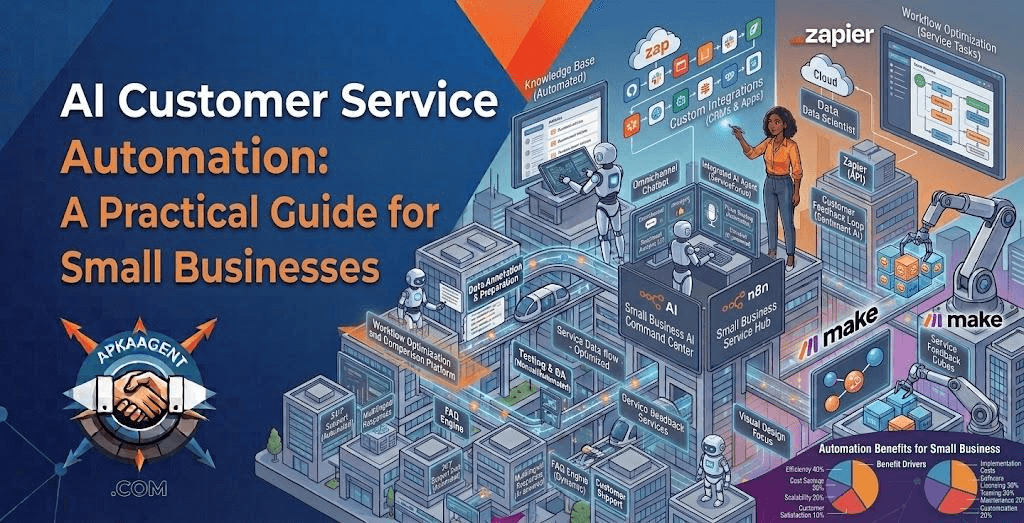
Most small businesses don't have a customer service problem so much as a capacity problem. The same questions arrive every day, like "Where's my order?", "Do you have openings Saturday?", and "How do I reset my password?", and they tend to arrive when your team is busy, off the clock, or both. AI customer service automation handles that repetitive layer so your people can focus on conversations that actually need them.
Done well, it makes support faster and more consistent. Done carelessly, it traps customers in loops and gives confident wrong answers. The difference lies almost entirely in how it's set up, and this guide covers the setup decisions that matter most.
AI customer service automation is the use of AI models to answer, sort, draft, or resolve customer requests with less manual work. It usually operates at four levels, and most businesses don't need all four on day one.
Answering and triage are the most common starting points. Acting delivers the most value but needs the most care, because the AI is changing real data.
Before choosing a tool, export the last one to three months of support tickets, emails, and chat logs. Group them by reason and count each group. Then note which categories require judgment, such as billing disputes or complaints, and which follow a predictable pattern.
In many businesses, a handful of request types makes up a large share of total volume. Your own data will tell you whether that's true for you, and it will show you exactly where automation should start. This exercise also reveals gaps in your documentation: if staff answer a question differently each time, the AI will struggle with it too.
An AI support system is only as accurate as the content behind it. Before launch:
This step isn't glamorous, but it often has more impact on answer quality than the choice of AI model.
The quality of your handoff decides whether customers trust the system. Define clear triggers for passing a conversation to a person:
When a handoff happens, the full conversation and any details collected should travel with it, so the customer never has to start over. Outside business hours, the AI should say plainly when a person will follow up instead of making open-ended promises.
Start where most of your requests already arrive. For an online store, that might be email and website chat. For a local service business, it might be text messages and phone calls. Adding channels later is easier than launching everywhere at once and splitting your attention across several half-tuned systems.
Phase 1 – Shadow mode. The AI drafts replies for incoming requests, but people review and send every one. This shows you real accuracy without any customer risk. Our post on practical uses for Claude describes this draft-and-approve pattern in support queues.
Phase 2 – Low-risk automation. Let the AI respond directly in categories where it has proven accurate, such as hours, shipping times, and how-to questions, while drafts continue for everything else.
Phase 3 – Actions through integrations. Connect order systems, scheduling tools, or your CRM so the AI can resolve requests, not just explain them. Start with read-only lookups before allowing changes.
Phase 4 – Expand and refine. Add channels and categories based on what the data shows, and review a sample of conversations every week.
Be wary of tracking deflection alone. A system can "deflect" customers simply by frustrating them into giving up, which looks good on a dashboard and bad for retention.
Wrong answers. Ground the AI in your approved content, restrict it to defined topics, and instruct it to escalate rather than guess.
Privacy and account security. Verify a customer's identity before discussing or changing account details, and limit the data the AI can access to what its job requires.
Disclosure. Tell customers they're talking with an AI assistant. It builds trust, and some states, including California, have laws requiring bot disclosure in certain sales-related interactions.
Over-automation. Some conversations, like a long-time customer with a serious complaint, should go to a person right away, even if the AI could technically respond.
ApkaAgent builds AI agents for support, scheduling, and data workflows, with integrations, performance analytics, and human review where it counts. For a look at how a support agent is structured, see the Orbit Agent example project, which illustrates a 24/7 conversational front line for support. Businesses that need custom language processing, such as classifying unusual ticket types or extracting details from documents, can explore our AI development services.
For most small businesses, no. It handles repetitive requests so your team can spend more time on complex issues, upset customers, and relationship-building. Some roles may shift toward reviewing AI output and handling escalations.
It depends on your request mix. Businesses with many repetitive, information-based questions can automate more than those whose requests require judgment or negotiation. Reviewing your ticket history is the most reliable way to estimate it.
It can be, with the right design: identity verification, limited data access, secure integrations, and attention to regulations that apply to your industry. Review how any AI provider handles and stores your data before launch.
Customers mostly dislike slow, unhelpful service. Fast, accurate answers and an easy path to a person tend to matter more than whether the first responder is human. Being transparent that it's an AI also helps.
A support chatbot is one possible component. AI customer service automation is broader and can include email triage, reply drafting, ticket routing, and agents that complete tasks through your business systems.
The most successful support automation projects start narrow: one channel, a few high-volume categories, and a clear handoff to people. Accuracy improves as you review real conversations, and trust grows as customers get faster answers without dead ends.
If you're unsure where to begin, ApkaAgent's AI consulting services can help you map your support workflow and plan the rollout. Or tell us about your support volume and we'll suggest a practical starting point.
We help you map your support workflow, build the handoff rules, and roll out automation one queue at a time. Let's talk.
Talk to Us