Loading
Loading
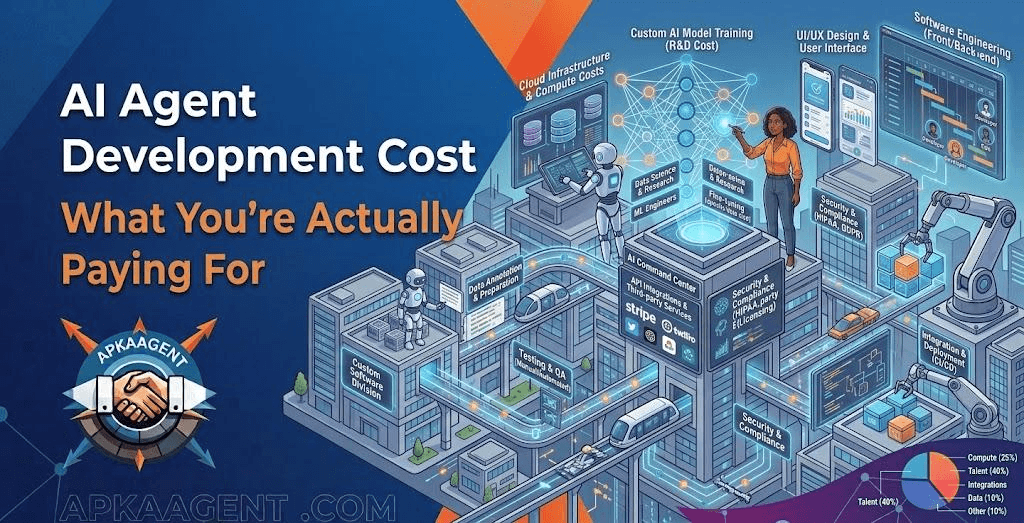
If you've asked three agencies what an AI agent costs, you've probably gotten three very different answers, and at least one of them was "it depends." That answer is frustrating, but it's honest. AI agent development cost is driven less by the AI model itself and more by what the agent has to connect to, how much it's allowed to do on its own, and how carefully it needs to be tested before it touches real customers.
This guide breaks the budget into the pieces that actually move the number, so you can compare quotes on equal footing and plan for the costs that show up after launch.
AI agent development cost has two parts: a one-time cost to scope, build, test, and integrate the agent, and an ongoing cost to run it. The one-time cost scales with complexity: the number of systems the agent connects to, the number of decisions it makes, and how much error handling it needs. The ongoing cost covers model usage (usually billed by the AI provider per token), hosting, monitoring, and maintenance.
A narrow agent that answers questions from a single knowledge base sits at the low end. An agent that reads incoming requests, makes decisions, updates your CRM, books appointments, and escalates edge cases to staff sits much higher, because every connection and every decision has to be built and tested. Treat any fixed price quoted before anyone has looked at your actual workflow as a rough estimate, not a commitment.
Before anything is built, someone has to map the workflow the agent will handle: where requests come from, what decisions get made, which systems hold the data, and where a person needs to stay involved. This stage also defines what "working" means, whether that's response accuracy, time saved per request, or the share of cases the agent resolves without help.
Discovery is the line item buyers are most tempted to skip, and skipping it is usually what makes projects expensive. An agent built on assumptions tends to get rebuilt once it meets real data. If you're still deciding which process to automate first, a short AI consulting engagement that produces an implementation plan and ROI projections can cost far less than building the wrong thing.
This is the core build: writing the agent's instructions, defining the tools it can call, setting decision rules, and adding guardrails for what it should never do. Good teams test against real examples from your business, such as past support emails, real lead forms, and actual invoices, rather than a handful of polished demos. The more varied your real-world inputs are, the more testing the agent needs, and testing is where a large share of serious build effort goes.
Integrations are often the largest and least predictable part of the budget. Connecting to a modern tool with a well-documented API is straightforward. Connecting to an older system with no API, a custom database, or a portal that requires logging in through a browser takes more work and tends to be more fragile. Each connection also needs authentication, error handling, and retry logic, because external systems go down and APIs change without much warning.
Most business agents run on large language models from providers such as OpenAI or Anthropic, accessed through an API. These providers typically bill by the token, a small chunk of text, and price input (what you send the model) separately from output (what it writes back). Your monthly model bill depends on how many interactions the agent handles, how much context each one includes, and which model you choose. An agent that reads a two-line text message costs far less per run than one that reviews a 40-page contract.
An agent needs somewhere to run, logs that show what it did and why, and someone to fix it when something changes. Your pricing changes, a software vendor updates its API, or the AI provider retires a model version; each of these can require updates. Treat maintenance as a recurring cost, not an optional extra you'll think about later.
Two agents that sound similar on a sales call can differ several times over in cost. These factors explain most of the gap:
| Factor | Lower-cost profile | Higher-cost profile |
|---|---|---|
| Scope | One task in one channel | Several tasks across chat, email, phone, and back office |
| Integrations | One or two tools with modern APIs | Many systems, including legacy tools without APIs |
| Autonomy | Drafts or suggests; a person approves | Takes direct actions such as refunds, bookings, or record updates |
| Data | Clean, organized documents | Scattered, inconsistent, or sensitive data |
| Cost of a mistake | Easy to catch and fix | Financial, legal, or health consequences |
| Compliance | No regulated data | HIPAA, PCI, or similar requirements |
| Volume | Hundreds of interactions a month | Tens of thousands, requiring cost tuning and load testing |
These are illustrative scopes, not price quotes. They show how cost grows as an agent takes on more responsibility.
This agent answers customer questions using your help docs, return policy, and product information. It doesn't change anything in other systems, and when it can't answer confidently, it hands the conversation to a person. The main costs are preparing and organizing your content, testing answer accuracy, and connecting to your chat or email channel. For most small businesses, this is the most affordable starting point.
This agent reads new inquiries from a web form or email, asks follow-up questions, scores the lead against your criteria, writes the record to your CRM, and alerts the right salesperson. The language model work is moderate. The integration work, field mapping, and routing rules are what drive the cost.
Here, several specialized agents pass work to one another. ApkaAgent's own product, JobzseekerAI, follows this pattern: one agent categorizes uploaded CVs, a second ranks candidates using keyword and semantic search with an AI re-ranking step, and a third opens a chat thread, generates a meeting link, and schedules the calendar invite. You can see how that workflow is structured on the JobzseekerAI product page. Systems like this cost more because each agent needs its own logic and testing, and the handoffs between agents need testing too.
Many quotes cover only the build. To compare options fairly, estimate the first-year total cost of ownership: the build cost plus twelve months of model usage, hosting, and support.
A simple way to estimate model usage is to multiply monthly interactions by the average tokens per interaction, then by the provider's price per token. Ask your developer to run this calculation with your real expected volume, not a best-case guess. If your business has seasonal peaks, like tax season for an accounting firm or summer for an HVAC company, budget for the busiest months rather than the average.
It's also worth asking how costs scale. Some agents get cheaper per interaction as volume grows, because fixed costs are spread over more work. Others get more expensive if every interaction depends on a large, premium model.
Monthly running cost depends on interaction volume, the model you use, and hosting. Most AI providers bill per token, so an agent handling short messages at low volume can be inexpensive to run, while one processing long documents at high volume costs considerably more. Ask for an estimate based on your real expected volume.
For simple, predictable workflows, often yes. Platforms like Zapier, Make, and n8n can handle many tasks with little custom development. A custom agent makes more sense when inputs are messy, decisions need judgment, or you need tighter control over data and behavior. Many production systems combine both.
It depends on scope and integrations. A narrow agent with one or two integrations can reach a working pilot much faster than a multi-agent system connected to several business tools. Discovery, testing, and a supervised pilot period should all be part of the timeline.
It can, but no one can guarantee it in advance. The return depends on how much time the workflow currently takes, how accurately the agent handles it, the quality of your data, and how well it fits your team's process. Define success metrics before you build so you can measure the actual return.
Yes, and it's usually the lower-risk path. A narrow pilot lets you confirm accuracy and running costs with real data before you add integrations or give the agent more autonomy.
The price of an AI agent is mostly the price of the work surrounding the model: understanding your workflow, connecting your systems, testing against real cases, and keeping everything running. Budget for both the build and the operating costs, start with one well-defined workflow, and insist on a clear answer about what happens when the agent isn't sure.
If you'd like a scoped estimate, ApkaAgent designs and builds custom AI agents and workflow automation, including integration setup, performance analytics, user training, and maintenance plans. For projects that need custom machine learning or language processing, see our AI development services. Tell us about your workflow and we'll walk through what it would take.
We scope AI agent projects against your real workflow and give you a grounded estimate, not a guess. Let's talk through yours.
Talk to Us