Loading
Loading
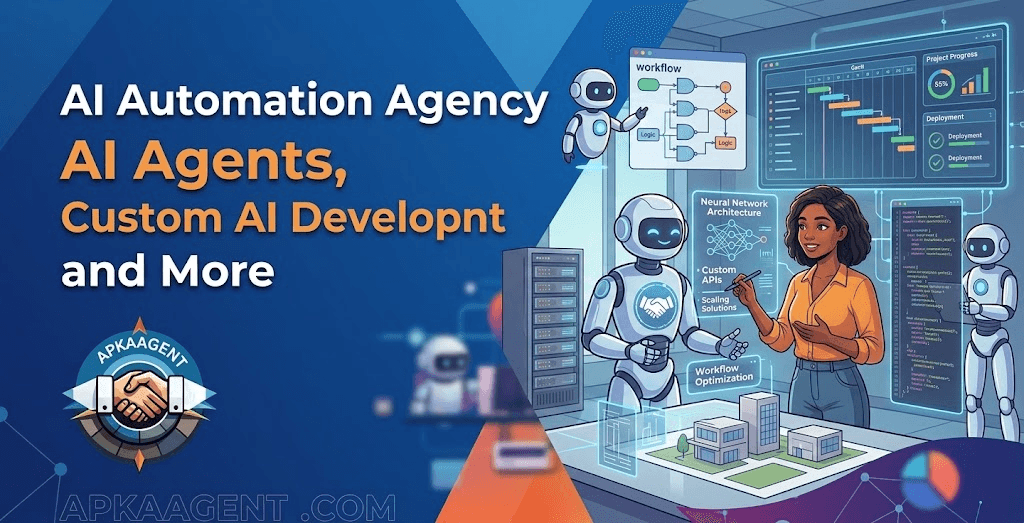
An AI automation agency helps businesses find the repetitive, time-consuming parts of their operations and replace them with systems that run on their own: automated workflows, AI agents, and custom software connected to the tools the business already uses. The goal isn't to add AI for its own sake. It's to take work off your team's plate in a way that's reliable, measurable, and safe.
There's a big difference between adding an AI tool and building an AI-powered workflow. Giving your team a chatbot subscription helps people write emails faster. Building a workflow means a new lead fills out your website form, the system reads it, scores it, updates your CRM, sends a personalized reply, and books a call, all without anyone touching it unless something unusual comes up.
Getting there usually takes more than one thing. Some steps need simple automation. Some need an AI agent that can read and make routine decisions. Some need custom software so your team can see and control what's happening. And many companies need a planning conversation before any of that, to figure out what's worth automating first. This guide walks through each piece and how they fit together.
An AI automation agency designs, builds, and maintains systems that automate business processes using a mix of workflow automation, AI models, integrations, and custom software. Most of the work happens before and after the build, not just during it.
Here's what that typically looks like:
A realistic example: a property management company receives maintenance requests by email, text, and a web form. Staff read each one, figure out the urgency, look up the tenant, assign a vendor, and update a spreadsheet. An automation system can collect requests from all three channels, use AI to read and categorize each one, look up the unit and tenant record, create a work order, and alert a manager immediately if the message mentions a leak or no heat. Staff still choose vendors for unusual jobs, but they're no longer retyping information.
Traditional automation follows fixed rules, while AI automation can handle unstructured information like emails, documents, and conversations. A good AI automation agency will use both, and it should tell you when you don't need AI at all.
| Approach | How it works | Best for | Example |
|---|---|---|---|
| Rule-based automation | "If this happens, do that," with fixed steps | Predictable tasks with structured data | When an invoice is marked paid, send a receipt and update the spreadsheet |
| AI-assisted automation | A fixed workflow with an AI step inside it | Processes where one step needs reading or classifying | Summarize each support email and route it to the right team |
| AI agents | AI decides which steps to take using connected tools | Multi-step tasks with changing inputs and routine decisions | Handle a lead from first inquiry to booked call, asking follow-up questions as needed |
| Custom AI systems | Purpose-built software, models, or data pipelines | Specialized needs, proprietary data, or a product you're building | A matching system that ranks candidates against job requirements |
Not every process needs AI. If a rule-based workflow in a tool like Zapier, Make, or n8n solves the problem reliably, it's usually the better choice. It costs less, behaves the same way every time, and is easy to troubleshoot. AI earns its place when the input is messy or the next step depends on context. If you want a deeper look at that line, our article on what AI automation actually changes in a business covers it in detail.
AI agent development services cover the design, building, and maintenance of AI systems that complete tasks on their own within limits you define. An agent doesn't just answer a question. It reads the situation, decides what to do, uses connected tools, and takes action, handing off to a person when needed.
A well-run agent project usually includes:
Common examples include customer support agents that answer from your documentation and look up orders; lead qualification agents that ask screening questions and update the CRM; scheduling agents that handle bookings and reminders; internal knowledge agents that answer staff questions from company policies and SOPs; and CRM workflow agents that keep records, deal stages, and follow-up tasks current.
ApkaAgent's AI agent development service covers custom agents, workflow automation, integration setup, performance analytics, user training, and maintenance plans. The company's own product, JobzseekerAI, shows a working multi-agent setup: one agent categorizes uploaded CVs, another matches candidates with opportunities, and a third handles connecting both sides and scheduling meetings.
Custom AI development services are for businesses whose needs go beyond what an off-the-shelf AI tool or a standard API call can handle. Instead of fitting your process to someone else's product, you build an AI-powered solution around your own data, workflows, and requirements.
Here's the practical difference. Using an existing AI model through an API is like hiring a smart generalist: it can read, write, and summarize well, but it knows nothing about your business unless you tell it each time. A custom AI solution wraps that capability (or a purpose-built model) in software designed for your exact use case: connected to your data, following your rules, and presented in an interface your team or customers actually use.
Custom development tends to make sense when you have:
ApkaAgent's custom AI development practice covers custom AI and machine learning, deep learning, data analysis, natural language processing, and computer vision. If an existing tool already does the job well, though, that's usually the cheaper and faster route, and a good partner will say so.
AI consulting services help you decide what to build before you spend money building it. They're most useful when you know AI could help but aren't sure where, how much it would cost, or what the risks are.
AI consulting can involve:
The biggest value of consulting is often what you decide not to build. Plenty of AI projects fail because they solve a problem nobody really had, or because the data wasn't ready. A few weeks of planning can prevent months of rework. ApkaAgent offers AI consulting services focused on implementation roadmaps, technology assessment, and ROI analysis.
Custom web application development matters in AI projects because most AI systems need an interface where people can see, review, and control what the automation is doing. An AI agent working invisibly in the background is fine until someone needs to approve a decision, check a result, or change a setting.
Examples of web applications that often sit around AI automation:
Think of the relationship this way: the AI does the reading and deciding, the automation moves data between steps, APIs connect the systems, and the web application is where humans interact with all of it. Without that last piece, many AI projects end up as a standalone chatbot that nobody can supervise properly. ApkaAgent builds custom web applications, including progressive web apps, real-time features, API development, and cloud deployment, as well as SaaS platforms with dashboards, subscriptions, and billing.
In practice, these services form a sequence: consulting defines the problem, automation handles the predictable steps, AI agents handle the judgment calls, custom software provides the interface, and monitoring keeps everything reliable.
Here's a hypothetical example. A regional insurance agency spends hours each day handling quote requests that arrive by email with attached documents.
Not every project needs all six steps. Many start with just the first two or three. The point is that the pieces connect, so it helps to work with a team that can handle more than one of them.
Start with tasks that are frequent, repetitive, and low-risk, where mistakes are easy to catch and fix. These usually give the fastest, clearest results.
Good first candidates include:
Be careful with:
In these areas, AI can still prepare information and draft recommendations, but a person should make the final call.
There's no universal price for AI automation because cost depends on what the system does, what it connects to, and how much custom software it needs. ApkaAgent doesn't publish fixed pricing; project cost depends on scope and requirements.
The main cost factors are:
A simple rule-based workflow is at the low end. A single-purpose AI agent sits in the middle. A multi-agent system with a custom web application is at the high end. When comparing proposals, ask each agency to separate one-time build costs from ongoing running costs.
The right AI automation agency starts with your business problem, not with a favorite tool, and is honest about what AI can and can't do. Use this checklist when evaluating partners:
ApkaAgent works as a single in-house team that scopes, builds, and supports each project, covering AI agents and automation, custom AI development, AI consulting, web applications, and SaaS platforms. Its process starts with a call about your goals, moves to a working session to define requirements and propose an MVP architecture, and then goes through build, testing, deployment, and ongoing support. You can review examples of ApkaAgent's work to judge whether the experience fits your needs.
A good AI automation agency helps you automate the right things in the right order: simple rules where they work, AI where it adds value, and people where judgment matters. Start with one clear problem, insist on measurable results, and choose a partner who can plan, build, and maintain the whole system rather than just one piece. If you have a process in mind, you can talk to the ApkaAgent team about whether it's a good fit for automation.
We're an in-house team covering AI agents, automation, custom AI, and the web apps that sit around them. Let's talk through your workflow.
Talk to Us